
No Baseline
You don’t know what to charge.
- Every project feels different, so every quote starts from zero. You pick a number that feels “reasonable”, then second-guess it after sending.
Freelance Pricing Kit • Google Sheet + PDF Guide
Use a guided Google Sheet pricing system and PDF guide to calculate rates, build project quotes, protect your profit, and price your client work with more confidence.
A practical companion to the calculator.
You estimate. You round down. You hope the client says yes. Then the project takes more time than expected, and the price you sent no longer makes sense.
You don’t know what to charge.
Competitor prices don’t fit you.
The profit disappears.
Hidden time eats the price.
Discount requests create panic.
Every quote starts from zero.
A project can look worth it at first, then disappear into extra time, revisions, fees, and discounts. A clear system helps you know the number before you say yes.

A practical digital pricing system for freelancers who want more than a random number. Use the guided Google Sheet to calculate rates, build project quotes, and account for hidden costs. The PDF guide explains how to use it.
A guided Google Sheet, a practical PDF guide, and a free demo preview. Together, they help you calculate rates, build quotes, and price client work with more structure.
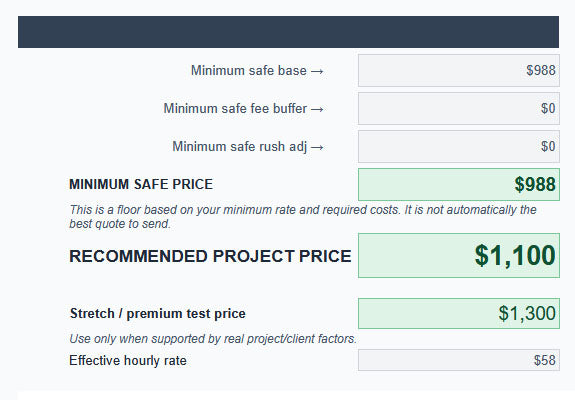
A guided spreadsheet with multiple tools for rates, project pricing, quotes, revisions, and follow-ups.
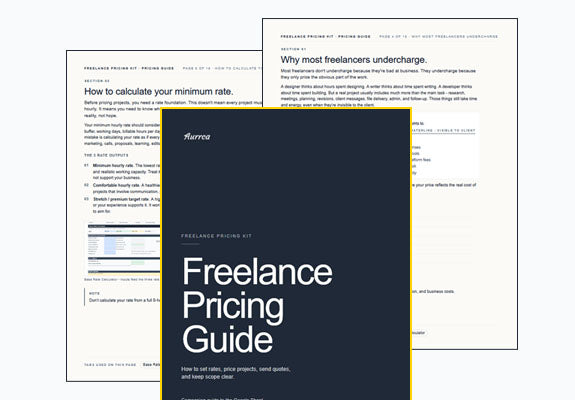
A companion guide that explains the pricing logic, how to use the sheet, and how to think through your final number.
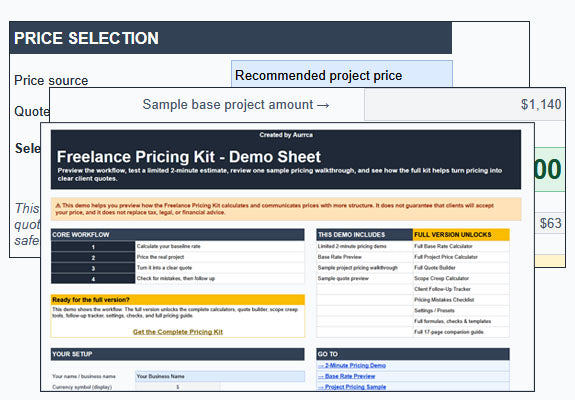
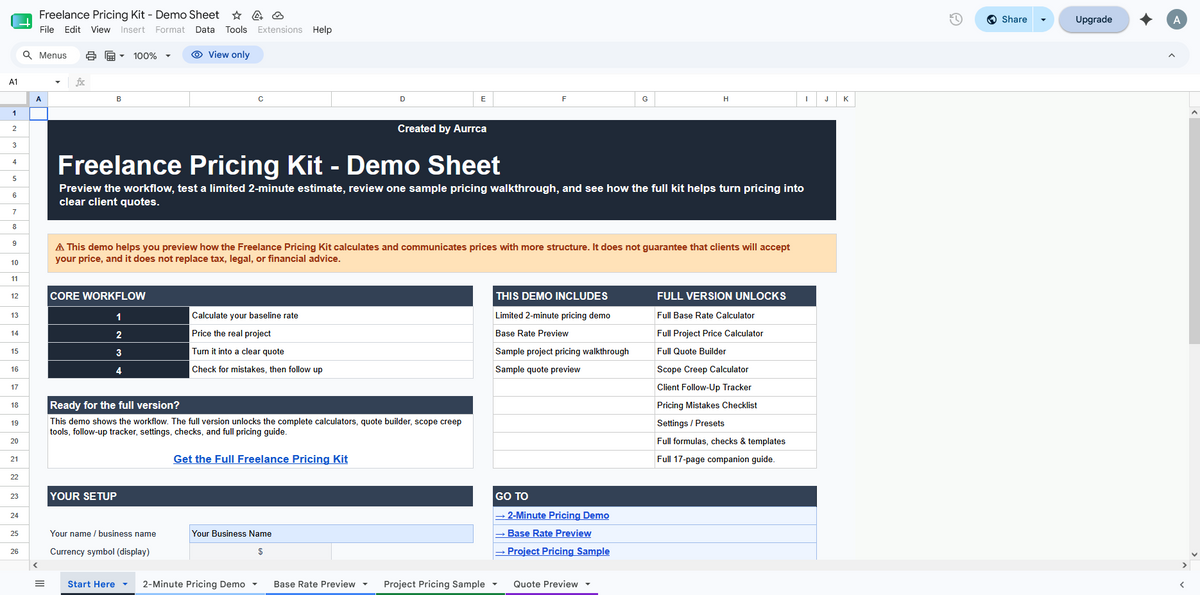
Preview the structure before buying, see how the system flows, and decide if the full kit is right for you.
Preview the workflow, test a limited pricing example, and see how the kit turns messy pricing into clearer quotes. The full version unlocks the complete calculators, quote tools, and PDF guide.
| Feature | Free Demo | Full Kit |
|---|---|---|
| Preview the workflow | Yes | Full |
| 2-Minute Pricing Mode | Limited | Full |
| Base Rate Calculator | Preview | Full |
| Project Pricing Calculator | Sample | Full |
| Quote Builder & client tools | Sample | Full |
| PDF Pricing Guide | Sample | Complete |
Get access, make your own copy, enter your project details, and use the result to price your next client quote.
After purchase, you’ll receive access to the Google Sheet and PDF guide so you can start using the kit right away.
Open the Google Sheet, use File → Make a copy, and save your own editable version in Drive.
Add your time estimate, costs, revisions, tools, taxes, and profit goal. The sheet calculates as you go.
Review your minimum, recommended, and stretch price. Then choose the number that fits the project and send your quote.
The kit helps you turn pricing from a stressful guess into a structured decision based on your time, costs, and profit goals.
Replace fear and pressure with a structured calculation. Your quote stops being a feeling and starts being a number.
See the number where a project stops being worth your time, so you can say yes, negotiate, or walk away with more confidence.
Account for time, expenses, tools, revisions, tax buffer, and margin before your price ever reaches the client.
Use a repeatable workflow instead of starting from zero every time a new lead lands in your inbox.
Compare minimum, recommended, and stretch prices before you send the quote, so you can choose with more context.
Use clearer price logic when a client pushes back, without needing to share your sheet or over-explain your math.
This is a practical pricing system for freelancers who want more structure, not a promise of perfect prices or guaranteed client results.
You price real client projects and want a repeatable way to quote them.
You want a magic price generator or guaranteed client results.
Real screens from the Google Sheet, cropped on purpose to show the structure without giving the full system away.


Screenshots use sample numbers. The full kit is designed for your own inputs, rates, and project details.
Everything you need to start pricing client projects with more structure: the Google Sheet system, PDF guide, quote tools, and setup instructions.
Google Sheet pricing system + PDF guide + quote tools + setup instructions. One-time payment, instant access.
| Inside the system | Why it matters |
|---|---|
| Rate foundation | Helps calculate your minimum, comfortable, and stretch rate targets. |
| Project pricing workflow | Helps turn project time, costs, revisions, and adjustments into a clearer price range. |
| Quote Builder | Helps turn your selected price into a client-facing quote draft. |
| Scenario testing | Lets you compare minimum, recommended, and stretch pricing options before sending. |
| Scope and revision | Helps price extra revisions, rush work, and scope changes instead of absorbing them for free. |
| PDF guide | Explains how to use the system and think through the numbers. |
Honest answers to the questions freelancers usually ask before they buy.
You can, but guessing often ignores time, revisions, tools, taxes, and profit. The cost usually shows up later as overwork, undercharging, or a quote you can’t explain.
AI can give a range, but it doesn’t know your exact time, costs, risk, margin, or client context unless you structure the numbers first. This kit gives you that structure.
That’s one of the main reasons this exists. The sheet asks for the inputs, and the PDF guide explains what the numbers mean as you go.
No. It helps you calculate and think through your price. It’s a decision tool, not a magic guarantee.
The system is built around inputs: time, costs, revisions, profit, and project factors. If you can estimate those, the workflow can still help.
Try the demo first. If your current system already handles minimum-safe pricing, revisions, scope changes, and scenario testing, you probably don’t need this.
The kit includes a Google Sheet pricing system, 17-page PDF guide, pricing calculators, Quote Builder, scope tools, email templates, boundary scripts, setup instructions, and instant digital access.
No. This is a digital product. No physical item will be shipped, and access is delivered digitally after purchase.
After purchase, you’ll receive digital access instructions for the Google Sheet and PDF guide. You’ll be able to open the Google Sheet, make your own copy, and use it with your own numbers.
The main tool is built for Google Sheets. It is not sold as an Excel file, and Excel compatibility is not guaranteed.
Yes. You’ll make your own copy of the Google Sheet, then edit that copy with your own rates, costs, project details, and pricing inputs.
The demo lets you preview the workflow and test limited sample parts of the system. The full kit unlocks the complete calculators, quote tools, pricing checks, PDF guide, and editable workflow for your own use.
No. It helps you calculate a structured price range based on your inputs. It is a decision tool, not a perfect-price generator or guarantee that a client will accept your quote.
Refund requests are reviewed case by case within 7 days. Please see our Refund Policy for full details.
Get the complete Freelance Pricing Kit: Google Sheet pricing system, PDF guide, quote tools, setup instructions, and instant access. Launch offer: $27.